
Create a Transparent Animated VTT Token
Create one transparent motion state.
Turn one owned top-down character into a short animated token at Animated Tokens. This lesson creates one Idle state, checks that the delivered WebM contains real transparency, then tests the download in its intended VTT.
Before you begin
You need:
- an owned square image containing one top-down character;
- enough empty space around the centred figure for movement;
- a transparent or plain, uniform background with no baked circular border;
- enough Gold for the state and quality shown beside the Animate button; and
- a local file-inspection tool and the VTT where you intend to use the result.
The worked source is a 1254 × 1254 fictional moon-elf ranger viewed from directly overhead. The full figure, including the boots, sits in the centre with generous empty space around it. Its plain bright magenta background makes any failed isolation easy to see. A transparent source can also work and may give a cleaner edge.
Prepare and upload one centred source
1. Export the token, then upload it manually
If you start in Token Maker, finish the local token and download its transparent PNG first. The Bring this token to life link opens Animated Tokens, but that link does not transfer the current image. On Animated Tokens, select the upload area and choose the saved PNG manually.
Check the preview before continuing. It should contain one complete figure, viewed from above and centred in a square frame. Avoid tight crops, strong cast shadows, scenery and more than one character. These make a clean moving silhouette harder to isolate.
Describe restrained Idle movement
2. Choose Typed and write only the motion you need
Choose Typed for a short, reviewable instruction. Leaving the field blank uses the default movement for the selected state, but an explicit prompt makes your intention easier to check. For an Idle token, a suitable starting point is:
Calm idle breathing, a subtle weight shift, and gentle cloak and hair movement. Keep the single top-down figure centred and the camera locked.
The request also adds a locked-camera and centred-figure safeguard. Keep the prompt restrained so the figure does not travel across the frame or turn into a different pose.
Press & Go is optional. It reads the uploaded image and drafts an editable prompt. It costs 2 Gold for a free account and is included for subscribed users. That is separate from the state-generation price. If you use it, read and edit the draft before paying for the animation.
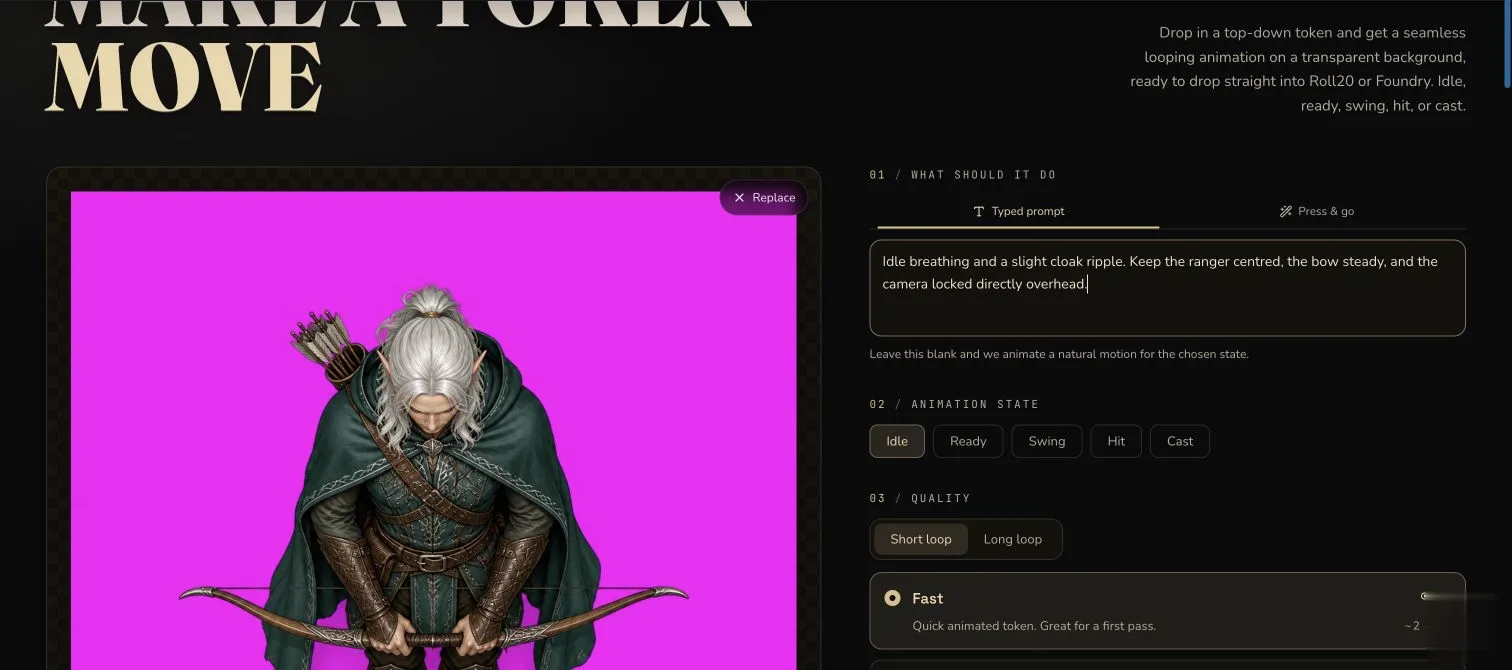
The square source leaves room around one centred figure. Typed keeps the intended Idle movement visible before submission.
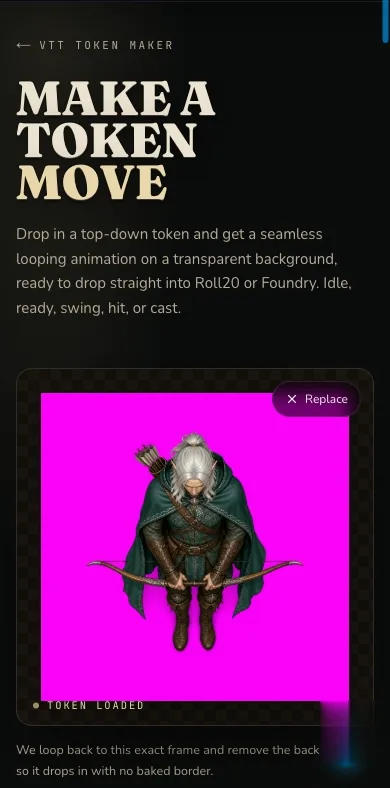
The source and motion controls remain available in the narrow layout. Review the whole configuration before moving to the paid button.
Pay for one state, not a five-state pack
3. Select Idle, Fast and Short, then read the quote
Choose Idle, Fast and Short loop. In the worked configuration, the button displayed 50 Gold for that one state. Read the live amount on your own button before submitting because prices can change.
Idle, Ready, Swing, Hit and Cast are separate paid clips. Selecting Idle does not generate the other four states. Finish and inspect one state before deciding whether another paid run is useful. Press & Go, if used by a free account, is a separate 2 Gold action.
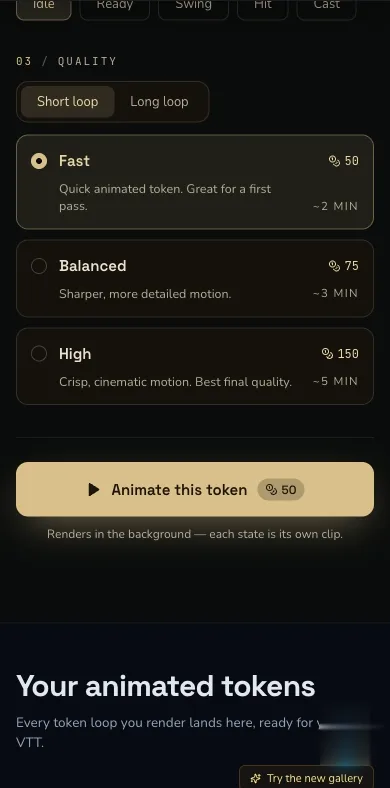
Idle, Fast and Short showed 50 Gold for one state in the worked setting. Use the amount displayed during your own run as the current quote.
Submit once and wait for alpha processing
4. Animate once and keep the page open
Select Animate this token once, then keep the page open while CharGen checks the request and processes the background. A slow result is not proof of failure. Do not submit a duplicate and pay again just because processing is not immediate.
The request forces a square frame, disables audio and asks for the selected state. The intended delivery path then removes the background and packages the result as a transparent VP9 WebM. That intended path still needs to be proved on the downloaded file.
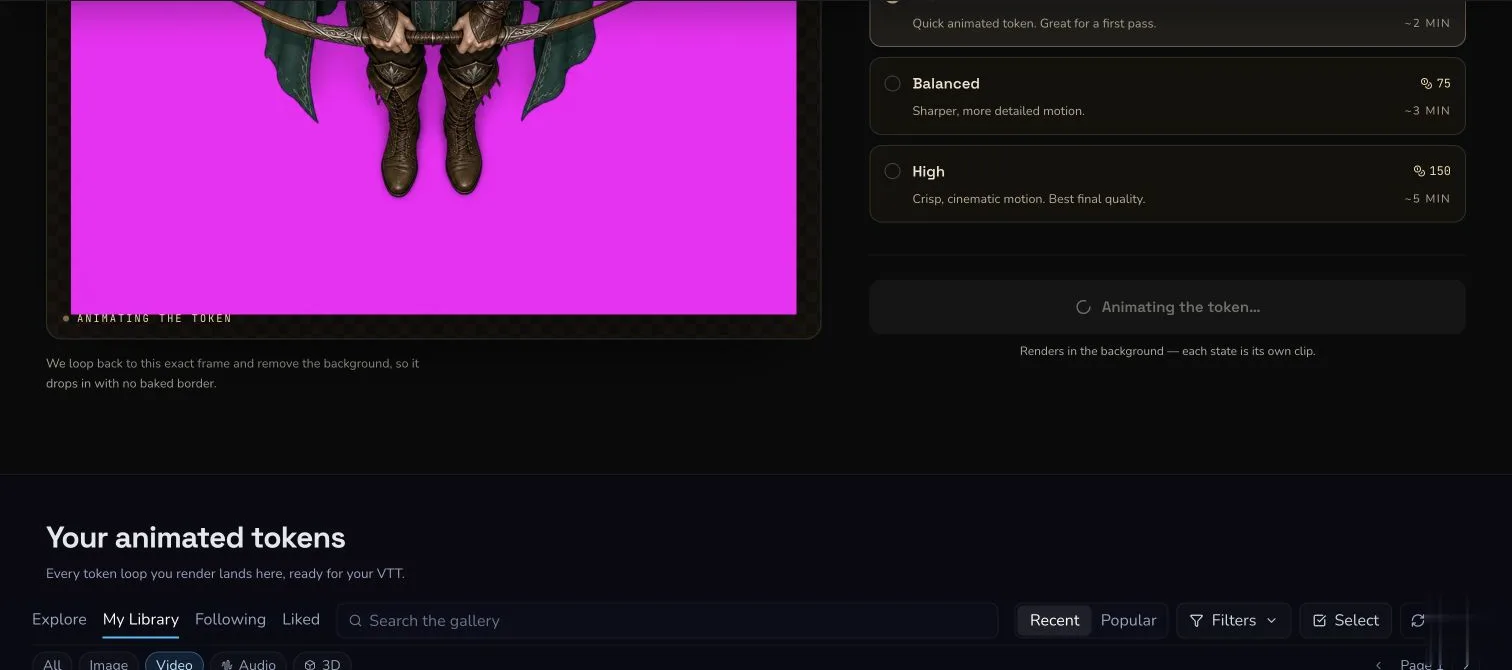
Leave the page open while the single paid request is processed. Avoid a second click while the first state is still running.
Check motion and transparency separately
5. Review the browser preview without trusting it as technical proof
Watch several loops on the checkerboard. The ranger should remain centred while the breathing, weight shift, hair and cloak match the Idle state. Look for a solid square, source-coloured fringe, missing limbs or a halo around fine edges.
The checkerboard is useful visual review, but it does not prove that the file contains alpha. Browser decoding and page styling can make a result look plausible. Continue to the downloaded-file inspection before accepting it.
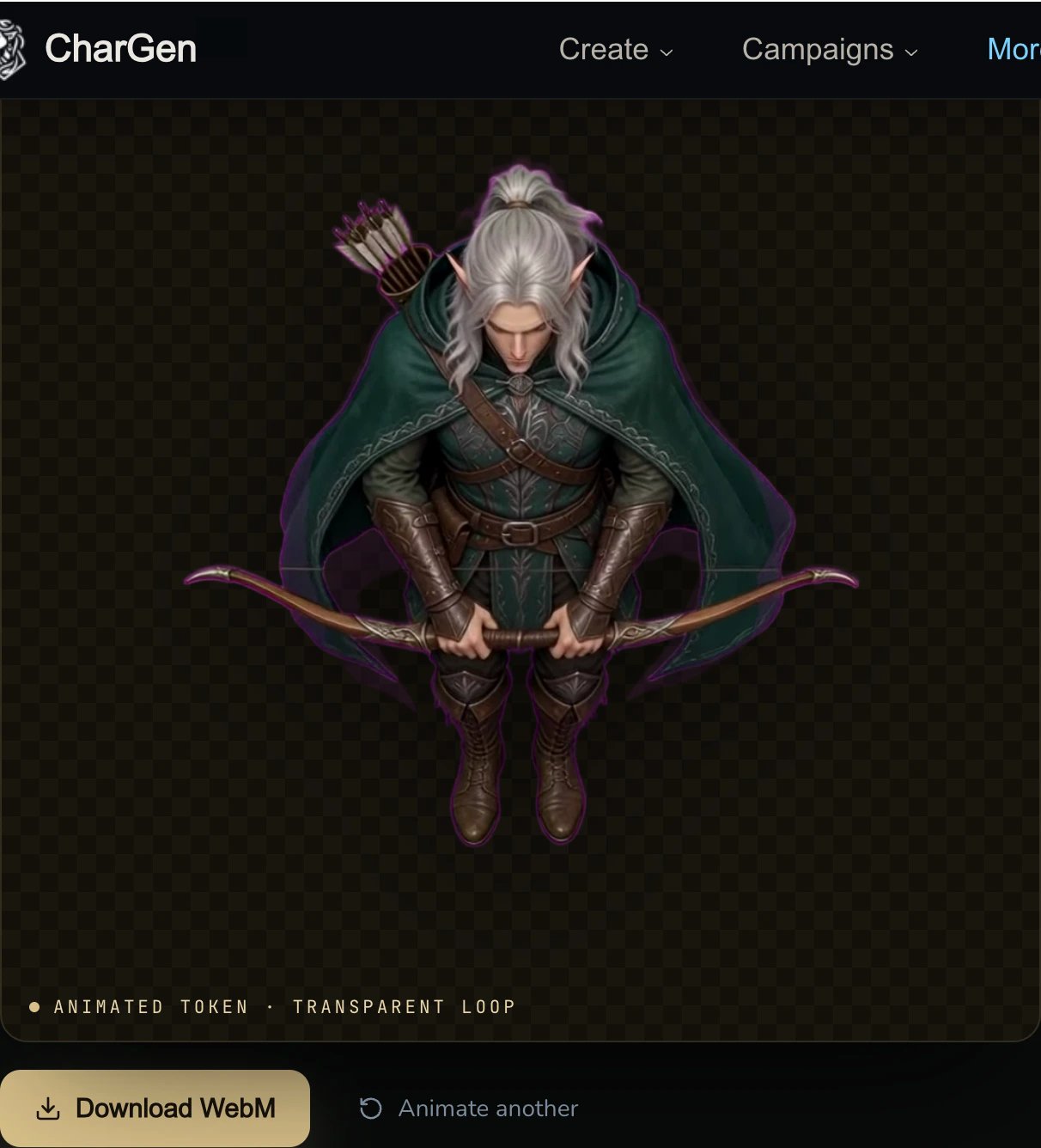
The accepted result reveals the checkerboard outside the figure. A thin magenta fringe remains around parts of the hair, cloak and bow, so this is usable evidence rather than a claim of a perfectly clean edge.
6. Download the WebM and prove that its alpha is usable
Select Download WebM, then inspect that file rather than the preview URL.
The accepted technical review must identify a WebM container with VP9 video,
no audio streams and ALPHA_MODE=1. Metadata alone is not enough. Decode a
middle frame with a VP9-alpha-capable decoder, inspect its alpha plane, then
composite the decoded colour and alpha over a contrasting background. The
outside area must reveal that background and the moving silhouette must have
a usable edge.
The accepted file is 4.042 seconds at 960 × 960. Its decoded middle frame contains fully transparent, partly transparent and opaque pixels. A contrasting-background composite exposes the same thin magenta fringe seen in the browser preview, but no solid source-coloured square remains.
Confirm Gallery and test the target VTT
7. Find the result in Gallery, then test one real import
Confirm that the accepted result appears in Your animated tokens and in Gallery so you can retrieve it again. A Gallery entry proves retrieval, not transparency, so keep the downloaded inspection with the project.
Import the WebM into the VTT where you plan to use it and watch the loop over that VTT's own map or contrasting background. VP9-alpha support and import rules vary between products and versions. Passing CharGen's alpha checks does not prove universal Roll20, Foundry or other VTT compatibility.
Result check
Checkpoint
Check your result
- The complete subject remains centred throughout the loop without travelling across the square frame.
- The visible movement matches the selected Idle state rather than another action.
- A decoded alpha plane and contrasting-background composite show a usable transparent edge without a solid source-coloured rectangle.
- The downloaded result is a silent, looping VP9 WebM.
Troubleshooting
If something looks wrong
Troubleshooting
- Symptom
- The downloaded result is an opaque MP4 or keeps the source-coloured background.
- Likely cause
- The transparent WebM processing path did not complete. A checkerboard behind an opaque video cannot repair the file.
- Next safe action
- Do not accept or publish that result. Preserve the request and download details, check Gallery for the same result, and report the failed alpha evidence. Do not pay for an automatic duplicate.
- Symptom
- Hair, weapons or the outline have a rough fringe.
- Likely cause
- A busy background, strong shadow, tight crop or low-contrast edge made isolation difficult.
- Next safe action
- Return to a larger square source with one centred figure, generous empty space and a transparent or plain background. Keep the failed paid result while deciding whether a new run is worthwhile.
- Symptom
- The character moves off-centre or performs the wrong action.
- Likely cause
- The prompt asks for broad movement, or the selected state and written instruction compete.
- Next safe action
- Use one state and one restrained motion instruction. Repeat that the top-down figure and camera remain centred and locked.
- Symptom
- The WebM passes inspection but the VTT rejects it or loses transparency.
- Likely cause
- The target product or current version may not accept VP9-alpha WebM through that import path.
- Next safe action
- Check the target VTT's current file requirements and test a local import. If conversion is required, use a path that preserves alpha and inspect the converted file again.