
Make a VTT Token from Any Portrait
Export a transparent 1024-pixel PNG.
Make a local, transparent VTT token from the owned Blue Star Sigil Quick Edit result, with the upstream Milestone 1 rights boundary intact. This 1 August 2026 flow is 0 Gold local processing. It exported a byte-identical 1024 × 1024 transparent PNG. Save to Gallery and Animate Token were not invoked, and this lesson does not claim a composed-result transfer.
Build the token locally
1. Use the circular mask and position the portrait
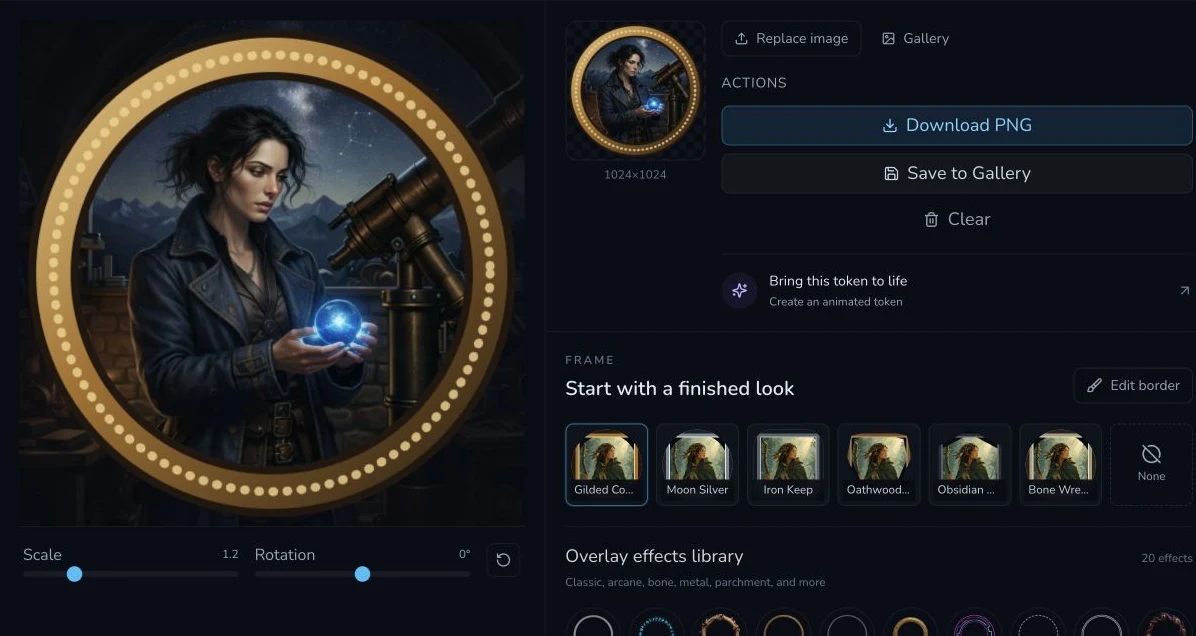
Choose the circular mask. On desktop, use pointer positioning and zoom to place the face. Select the frame and overlay, then use the preview to check the crop before export.
2. Pinch on mobile, then verify the boundary
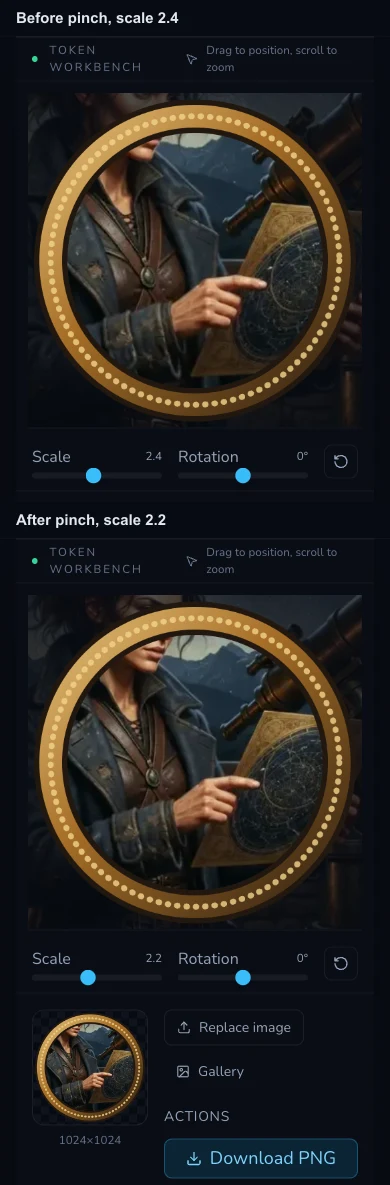
The operator observed a real two-contact pinch changing scale from 2.4 to 2.2. The retained screenshots contain no visible contact markers or event trace, so screenshots alone do not prove two contacts. Use the preview to judge the actual crop.
3. Export and upload manually if needed
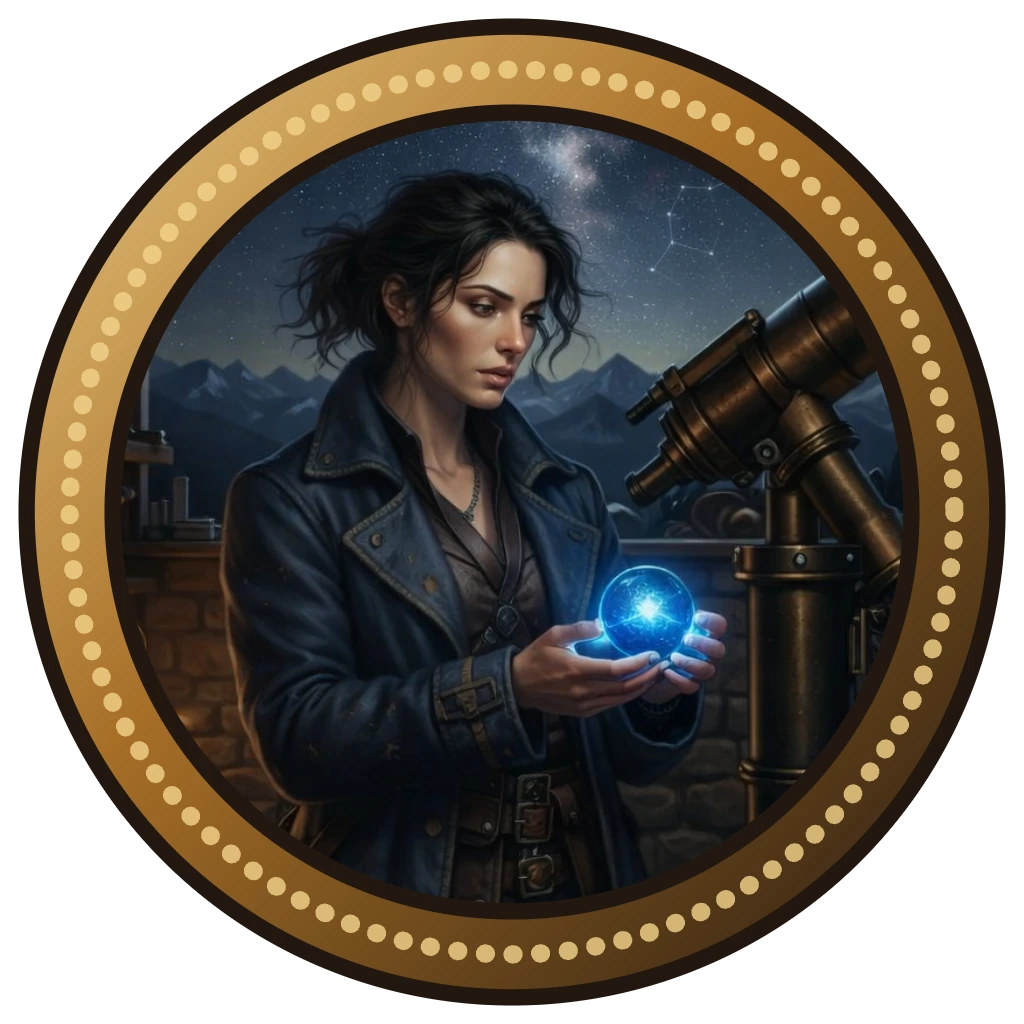
Download the local token. The reviewed export is a 1024 × 1024 PNG with transparent corners and checksum 0d6cdd32aa4752149e9f408d4ed80856f7b214c6332b96dca3d947b29dd2cc17. If a VTT needs it, upload that downloaded file yourself.
Checkpoint
Check your result
- The source remained local.
- The circular crop, frame, overlay and preview are deliberate.
- The downloaded file is 1024 × 1024 PNG with transparent corners.
- Any later upload is manual.
Troubleshooting
If something looks wrong
Troubleshooting
- Symptom
- The face is too large in the token.
- Likely cause
- Position or zoom is not final.
- Next safe action
- Adjust locally and recheck the preview before exporting.
- Symptom
- The token is not in Gallery.
- Likely cause
- Save to Gallery was not part of this verified flow.
- Next safe action
- Keep the download and manually upload it where required.
- Symptom
- The corner is opaque in a VTT.
- Likely cause
- The wrong file was uploaded or the destination changed it.
- Next safe action
- Re-check the downloaded transparent PNG before the manual upload.
Check the local export boundary
Keep the exported PNG until the destination confirms its own upload. Local export verifies the file you hold, not a later service's import, scaling or library behaviour.
Positioning means moving the source under the mask until the important face and shoulders sit inside the circular crop. Zoom changes how much of the portrait fills that circle. Make those choices before selecting decorative frame or overlay, because decoration cannot repair a bad crop. On mobile, the observed scale changed from 2.4 to 2.2 after a real two-contact gesture. The retained images demonstrate the displayed before-and-after state only, not the invisible contacts, so use the preview as the practical check.
The export is local browser processing and charged 0 Gold in this reviewed flow. Verify file type, dimensions and transparency after download, not just the on-screen preview. The saved bytes were PNG, 1024 × 1024 with transparent corners and the stated checksum. A transparent corner matters because most VTTs place the token over a map rather than a matching background.
Do not press Save to Gallery expecting durable persistence from this evidence. It was not invoked in this flow, and prior acceptance did not prove a terminal asset. Animate Token was also not invoked and no composed token transfer was observed. If the token needs to reach a VTT, manually upload the downloaded PNG. That explicit hand-off is reliable because it uses the file you just verified.