
Add Dialogue and Generated Audio to Video
Use the reviewed Generate Audio and Portrait speech paths with a clear rights check.
Add sound only through the reviewed paths that are mounted in Studio: Generate Audio during Create, or Text-to-Speech and audio Upload in Portrait. /generate?contentType=video produces one clip. /video-studio is a separate multi-shot film workspace. Audio Studio and Media Centre are separate future curricula, not steps in this workflow.
Choose the sound path before submitting
1. Use Generate Audio for a Create request
In Create, the reviewed selected model exposed Generate Audio. This is a prepared control, not a completed audio result in this lesson. Describe the scene and its intended sound in the prompt when that control is mounted, then recheck the current model, configuration and displayed amount before a single request.
Keep the sound direction concrete: “slow turning brass rings, quiet candlelit room, no crowd” gives a reviewer something to listen for alongside the visual motion. Do not assume the control is present after a model change, and do not convert that expectation into a second submission while the first state is unclear.
Use a consented Portrait speech path
2. Clear Character and select Text-to-Speech or Upload
In Portrait, the reviewed prepared controls exposed Character, Audio, Upload and Text-to-Speech. The rights check depends on the path. For an upload, you need permission for that specific recording and character use. For Text-to-Speech, use a permitted character and a system voice or other voice source you are allowed to use.
The completed example uses the owned fictional Wan character, Text-to-Speech and the built-in Wise Woman voice. It does not use a personal voice. If you cannot state why both the character and speech source are permitted, stop before submitting.
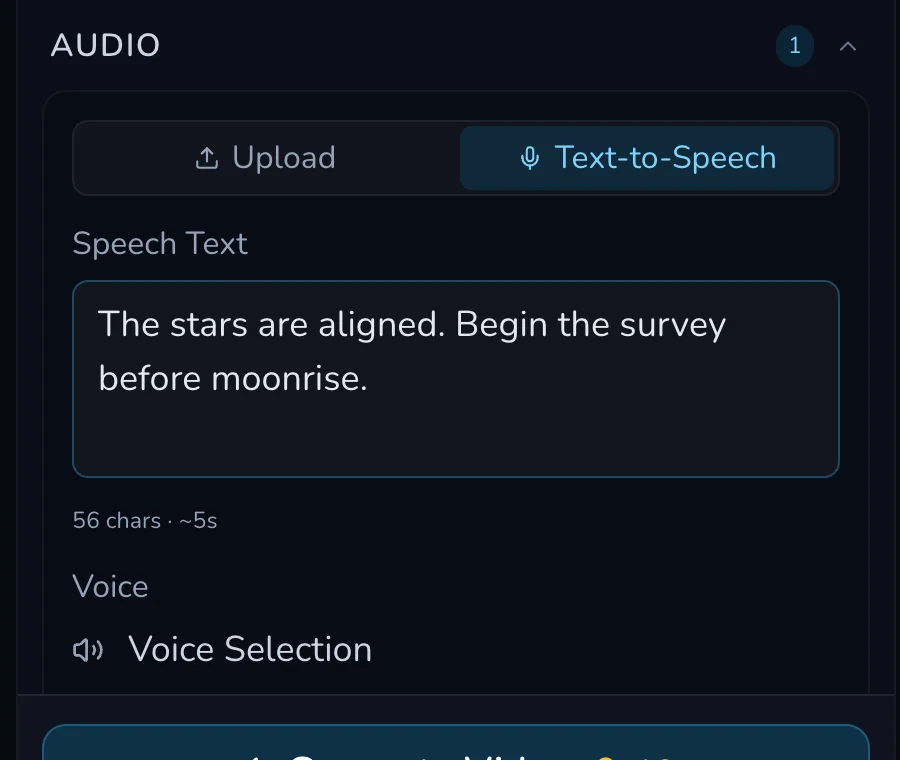
3. Keep the spoken line short and reviewable
The consented example used: “The stars are aligned. Begin the survey before moonrise.” The prepared panel showed 56 characters and approximately five seconds. Write one short line that can be assessed for intelligibility and fit with the character’s framing. Avoid packing scene notes, several speakers or a long monologue into a single short output.
Read the character thumbnail, selected speech path, line and current amount together. Submit once, then wait for a clear terminal state. Preserve the exact line and source decision so an accepted result can be reviewed later.
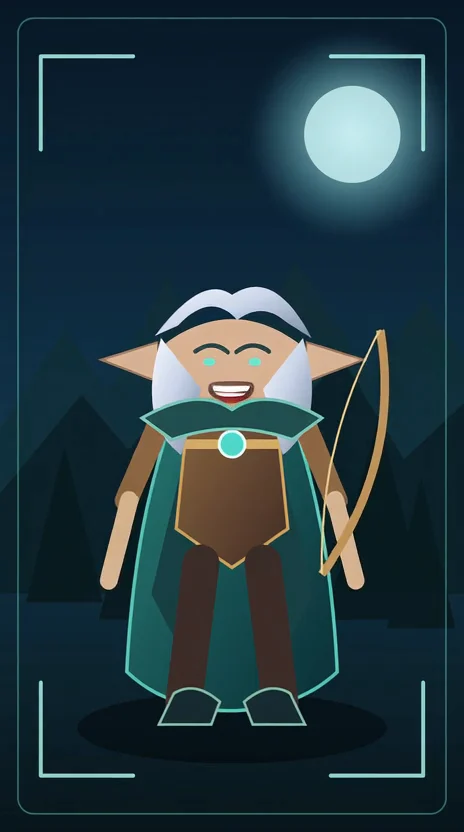
4. Review completion and the unresolved settlement boundary
The reviewed Text-to-Speech request completed and persisted in Gallery as a 464 by 832, 4.213991-second output. Check that the intended fictional character is present, speech is understandable and the vertical framing suits the clip. The request’s displayed 16 Gold remains an unresolved dated display because no linked debit was observed.
Checkpoint
Check your result
- Create uses Generate Audio only when that current control is mounted.
- Portrait uses a cleared character and a permitted Upload or Text-to-Speech path.
- A short spoken line is checked for intelligibility and framing after terminal completion.
- The Portrait amount is treated as an unresolved dated display, not a settled price.
Troubleshooting and safe retry
If something looks wrong
Troubleshooting
- Symptom
- I cannot confirm permission for the character or recording.
- Likely cause
- The rights check is incomplete for this specific source path.
- Next safe action
- Do not submit. Replace it with owned fictional material or obtain the required permission first.
- Symptom
- The spoken line feels rushed or does not fit the frame.
- Likely cause
- The line is too long for the short output or the composition is not suitable for a speaking character.
- Next safe action
- Keep the completed result, shorten one line and change one cause only in a later deliberate request.
- Symptom
- The account record does not settle the displayed Portrait amount.
- Likely cause
- No request-linked debit was observed in the dated review.
- Next safe action
- Record the request evidence, check the current account history and do not present the display as a price or resubmit while state is uncertain.
Never use slow progress as a reason to submit a duplicate. Wait for the first request to become terminal, check Gallery and retain the exact character, line and path-specific permission record. Audio Studio and Media Centre remain separate future curricula, so do not substitute their future work for these mounted Create and Portrait paths.